CULI — AI Exam Grading Platform
An enterprise-grade platform that automates language proficiency exam evaluation for Chulalongkorn University using OCR, GPT-based scoring, and vector similarity search.
The Problem
Every semester, Chulalongkorn University's language institute processes thousands of handwritten proficiency exams. Instructors grade each one manually against a multi-dimensional rubric — a process that takes weeks, introduces inconsistency between graders, and burns out teaching staff. A single batch of 1000 exams could take a team of four instructors over two weeks to grade, with inter-rater reliability averaging below 70%.
CULI was built to eliminate that bottleneck. The platform automates the entire pipeline — from scanning exam papers to delivering scored reports with rubric-level feedback — reducing grading time from weeks to hours while maintaining consistency that human teams struggle to achieve.
Pipeline Architecture
The grading pipeline is a five-stage async workflow. When instructors upload exam PDFs, each page is extracted as an image via PyMuPDF and pushed through an image preprocessing pipeline: normalization, grayscale conversion, Otsu's binary thresholding, and morphological operations to remove red pen annotations that would confuse the OCR model. Processed images are stored in AWS S3 with a content-addressed naming scheme to avoid re-processing duplicates.
From there, GPT-4o's vision capabilities extract handwritten text from the preprocessed images. A separate GPT model then evaluates the extracted text against the configured rubric, scoring across four dimensions — Task Completion, Organization, Style & Language Expression, and Structural Variety & Accuracy — each on a 0–2.5 scale. The model also generates a natural-language justification for every sub-score, referencing specific passages from the student's writing.
Dashboard & Project Management
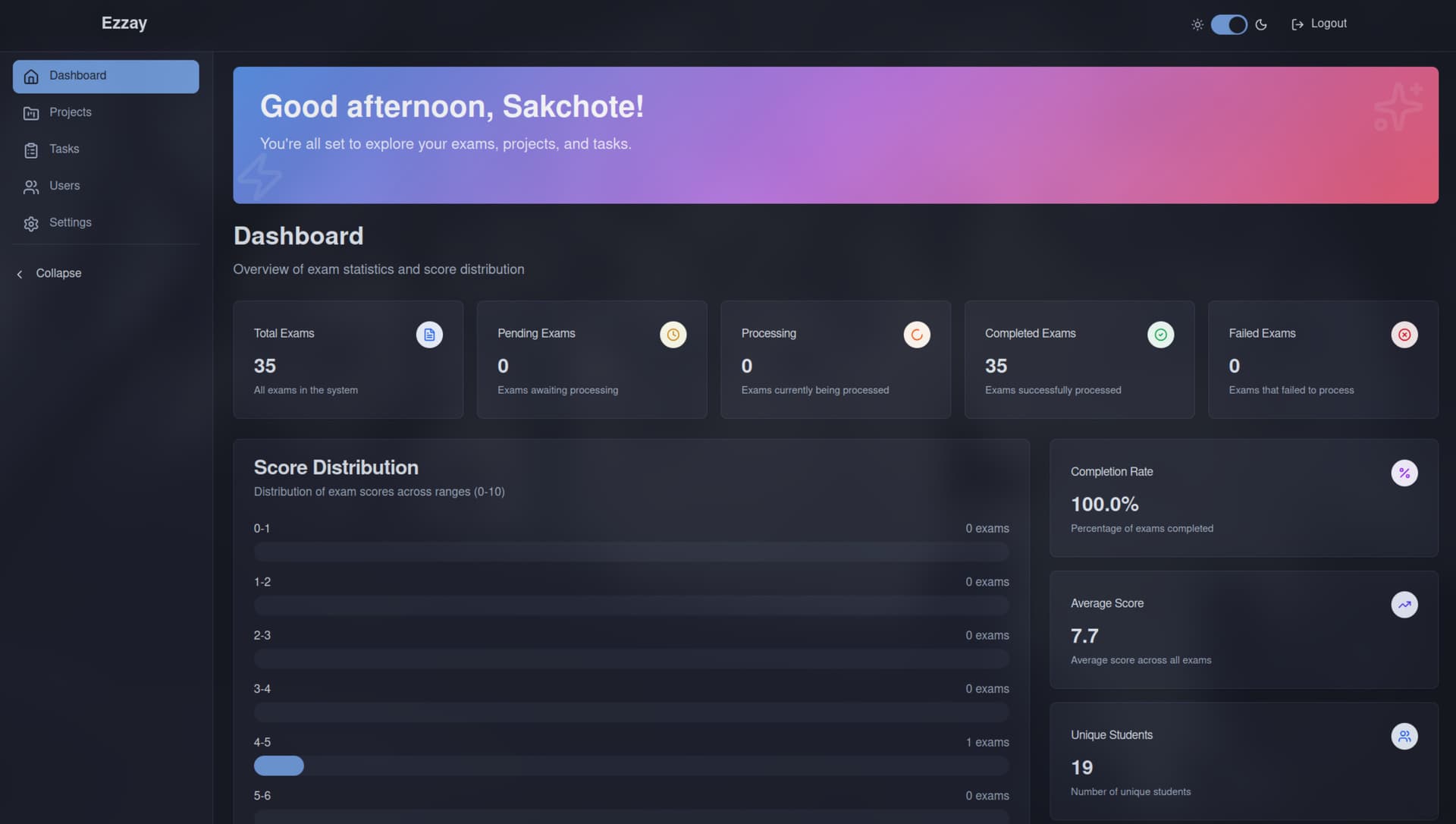
The dashboard aggregates real-time metrics across the system — total exam count, processing status breakdown (pending, processing, processed, failed), completion rate, average score, and a score distribution histogram. All statistics are computed from materialized database views that refresh on a configurable interval, keeping dashboard queries fast even as the exam count scales into the thousands.
Dashboard — real-time statistics, score distribution, and processing status
The platform organizes work into Projects — each one maps to a specific course section and grading rubric. Instructors create a project, bind it to a Task (the rubric configuration), and bulk-upload exam PDFs. The system splits multi-page PDFs, queues each page for processing, and tracks status at both the project and individual exam level.
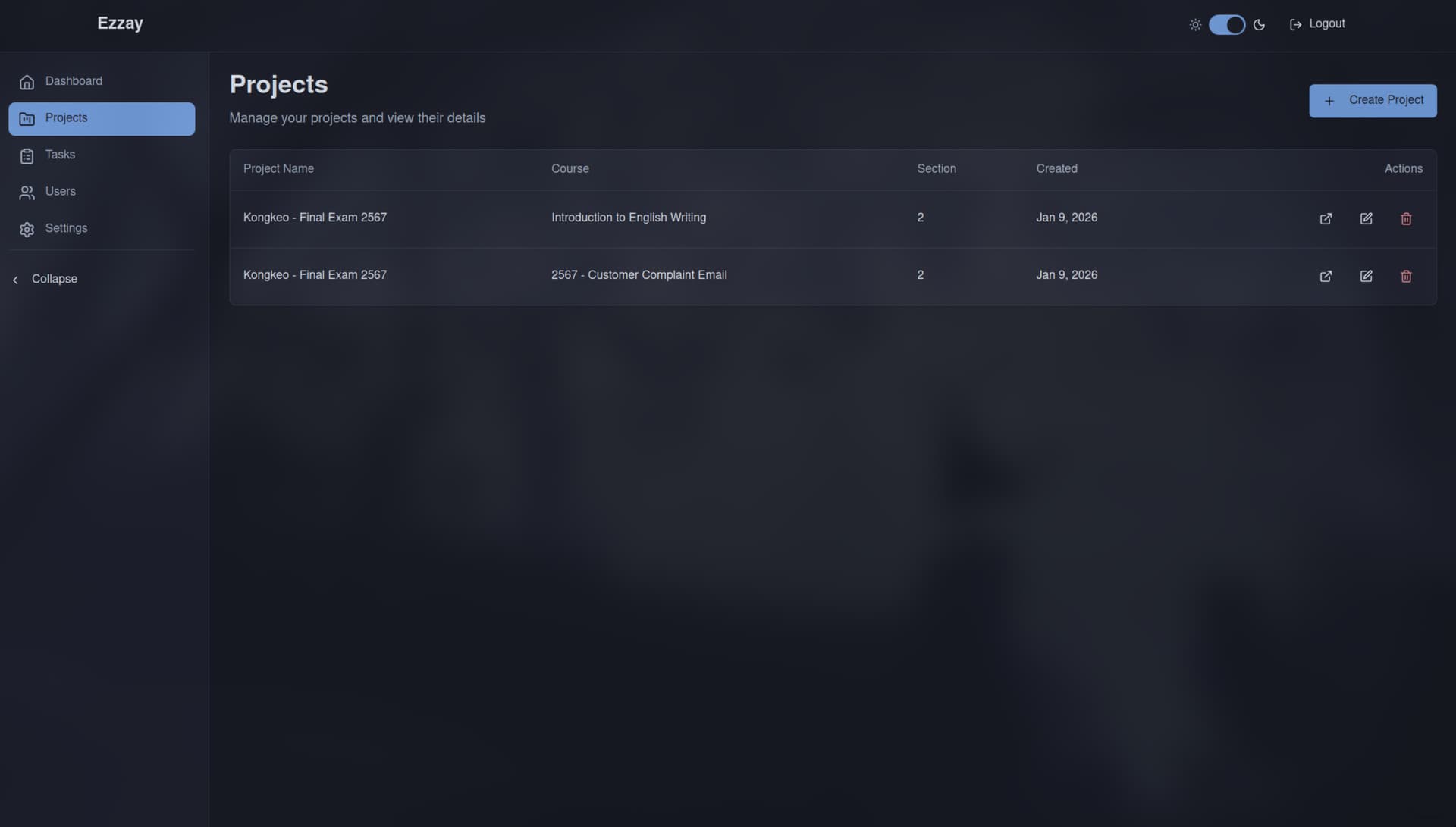
Projects — each project groups exams by course, section, and grading rubric
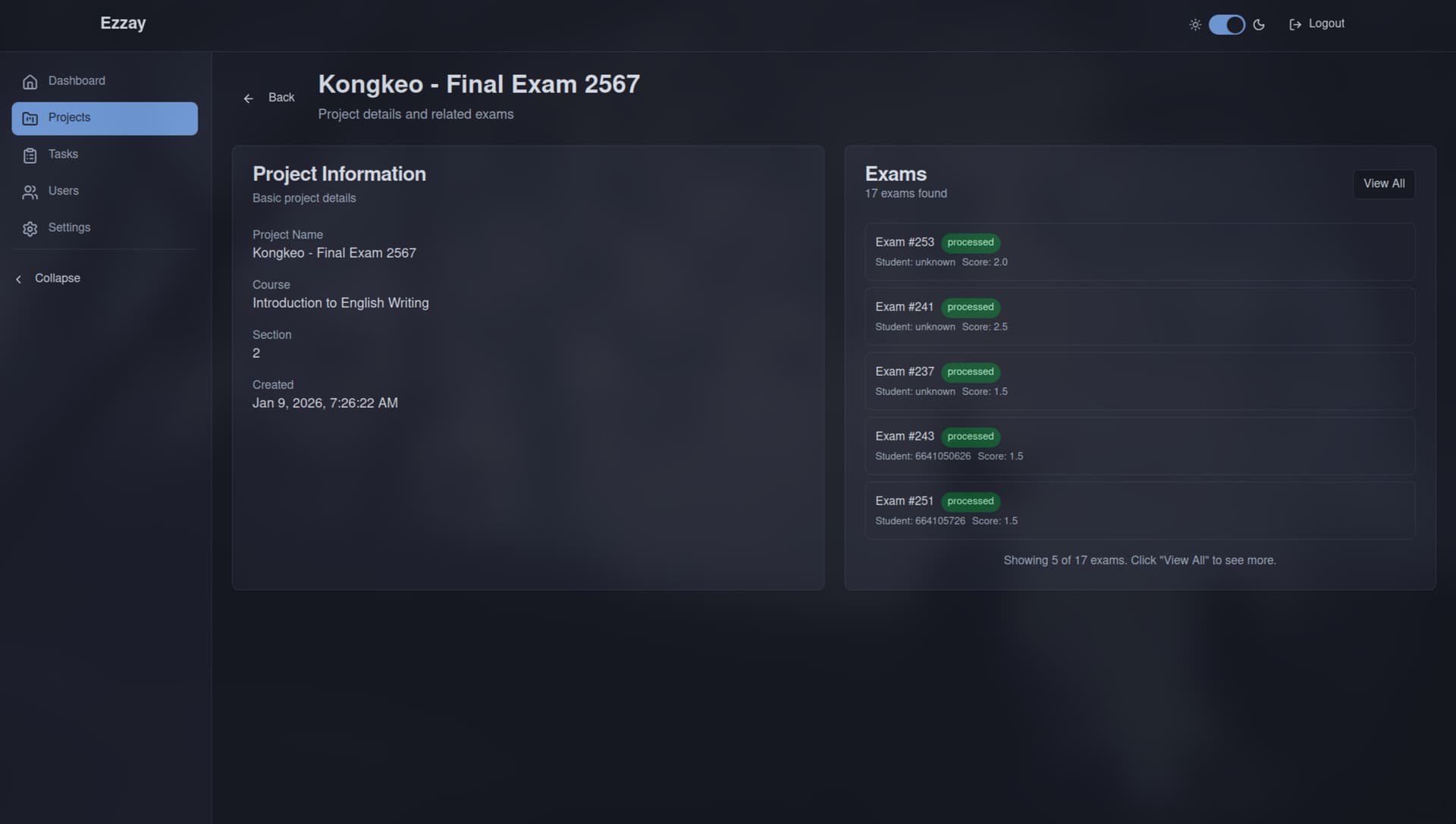
Project detail — exam list with processing status and score overview
Exam Grading in Detail
Each graded exam surfaces five tabs of data. The Details tab shows the scanned image alongside metadata — exam ID, page number, processing status, total score, and timestamps. Instructors can trigger re-evaluation (useful after rubric adjustments), export individual results as PDF or CSV, or manually override scores when the AI's judgment needs correction.
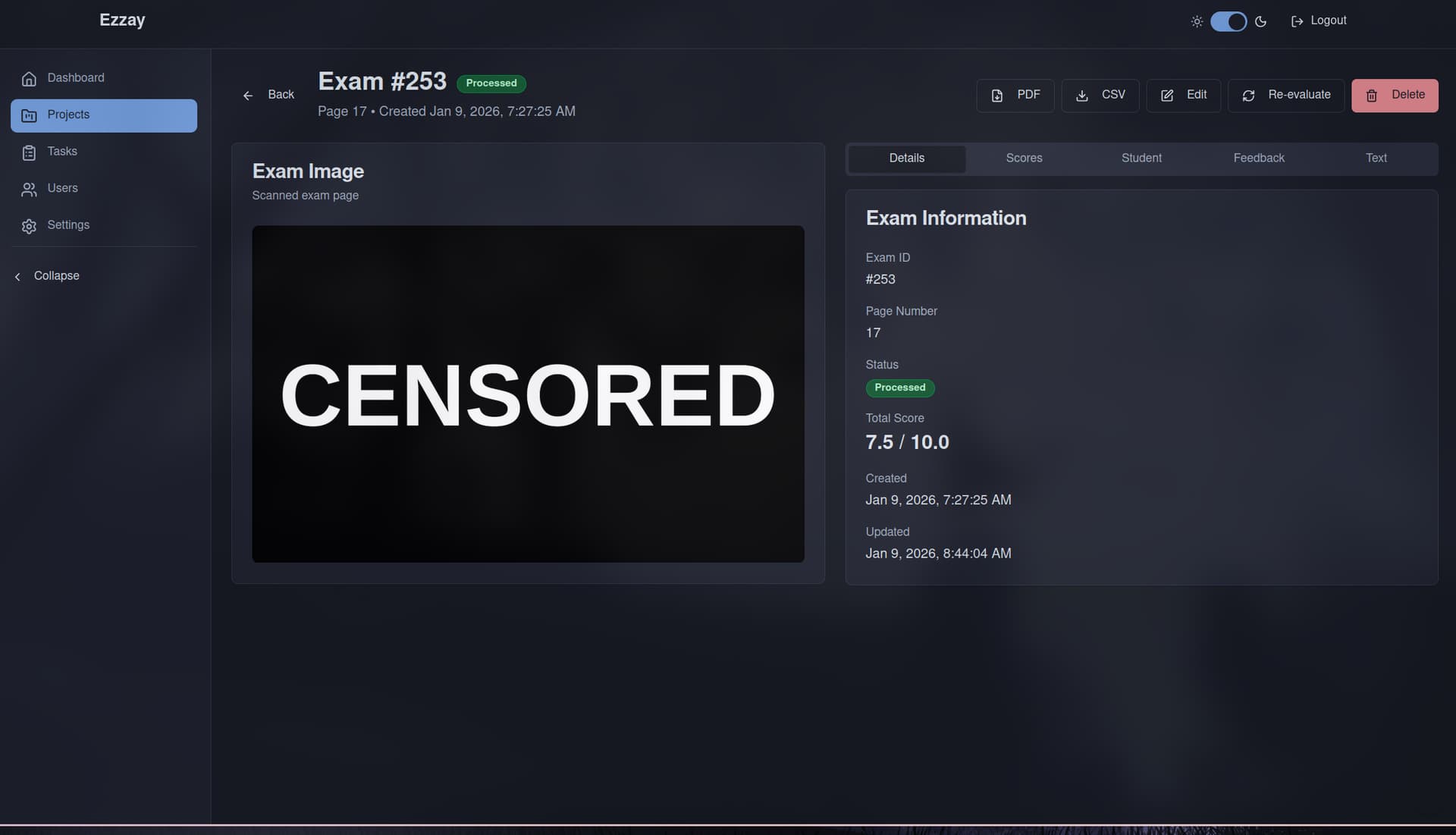
Exam detail — scanned image with metadata, status, and total score
The Scores tab provides a rubric-level breakdown with visual progress indicators for each dimension. This design lets instructors spot patterns at a glance — if a cohort consistently scores low on Organization but high on Task Completion, it signals a teaching gap rather than a grading error.
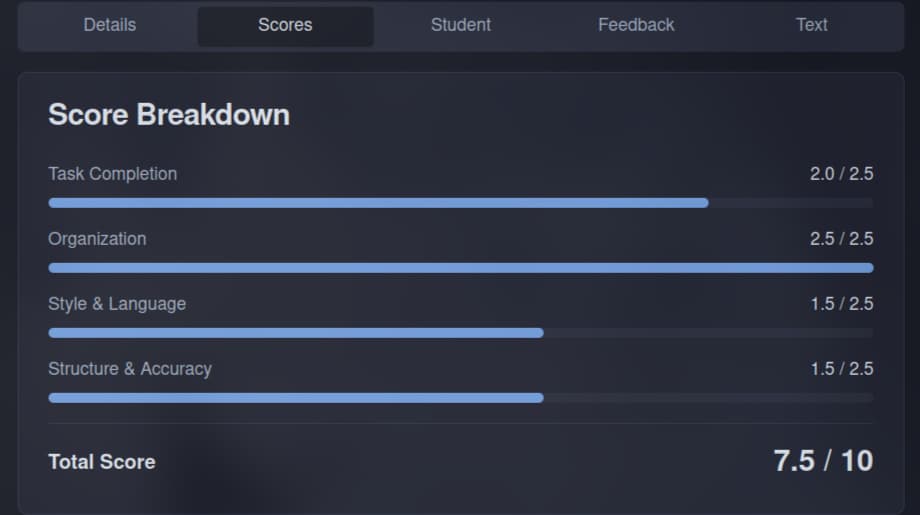
Score breakdown — four rubric dimensions with visual progress indicators
OCR & Text Processing
The Student tab shows metadata extracted directly from the exam sheet — student ID, section, seat number, and exam room — all read from the student's handwriting. This eliminates manual data entry and links each graded result back to the student record automatically.
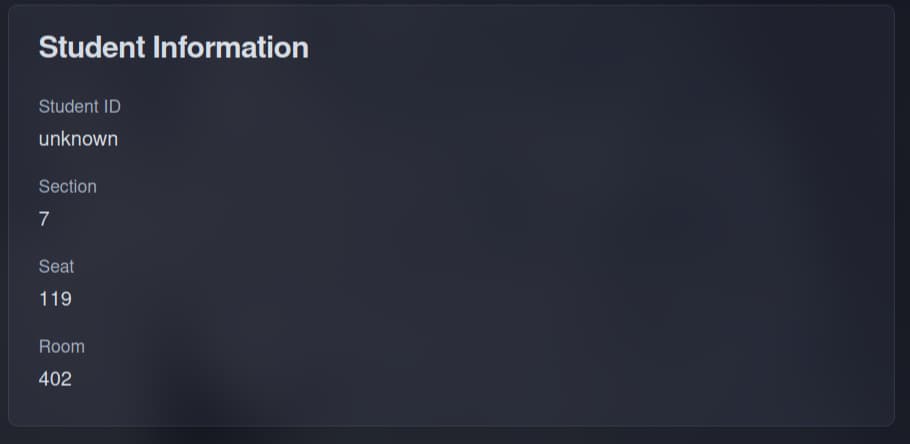
Student information — OCR-extracted metadata from handwritten exam sheets
The Text tab exposes the raw OCR output alongside an AI-cleaned version. This transparency serves two purposes: instructors can verify OCR accuracy on difficult handwriting, and the improved text shows exactly what the grading model evaluated — closing the loop on any scoring questions.
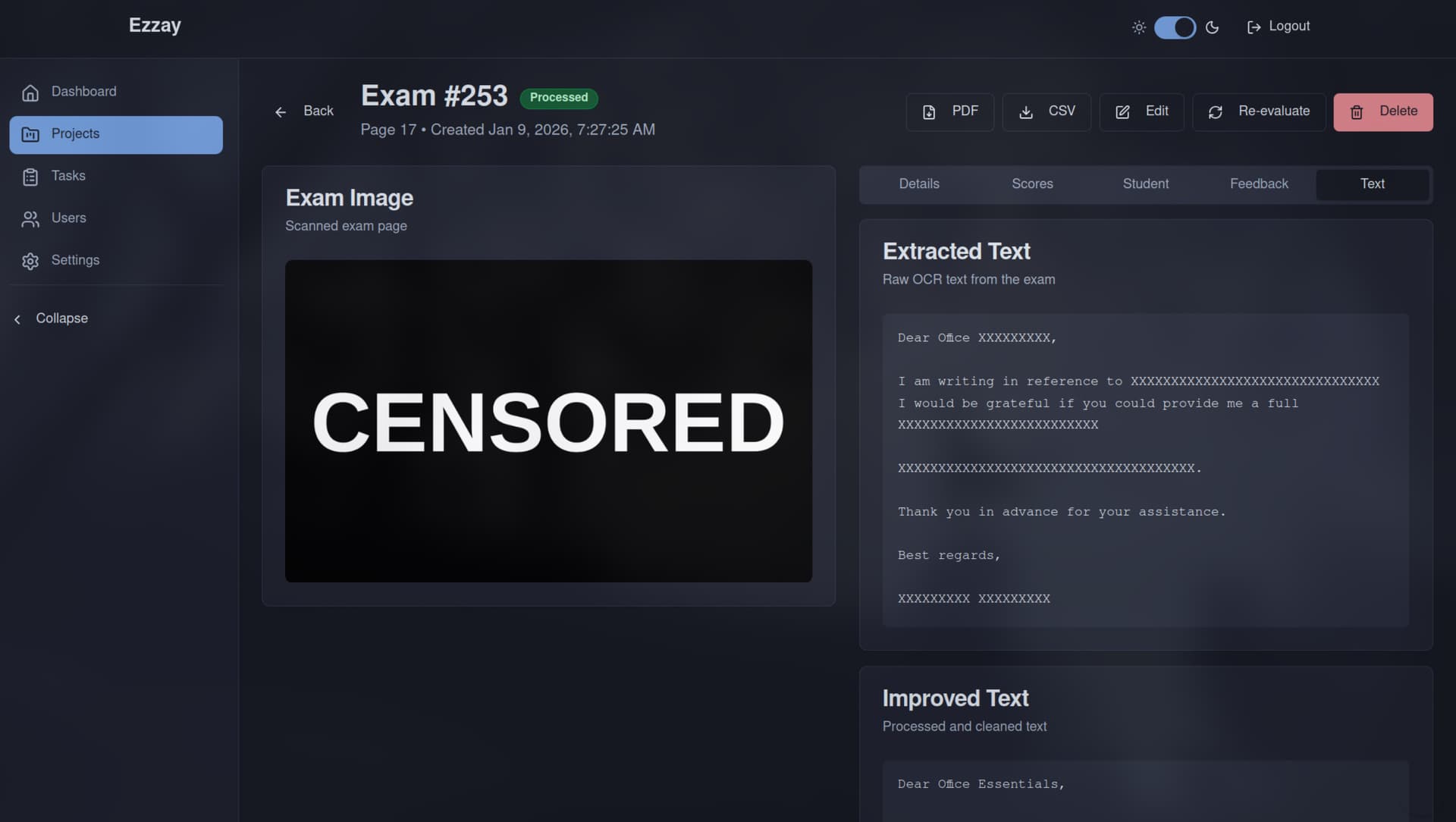
Text — raw OCR extraction alongside the AI-improved version
AI Feedback & Few-Shot Learning
The Feedback tab makes the AI's reasoning fully transparent. Each exam gets an overall comment summarizing strengths and areas for improvement, followed by a criterion-by-criterion justification — explaining exactly how the model arrived at each sub-score with direct references to the student's writing. This isn't a black-box score; instructors can audit the reasoning and override when they disagree.
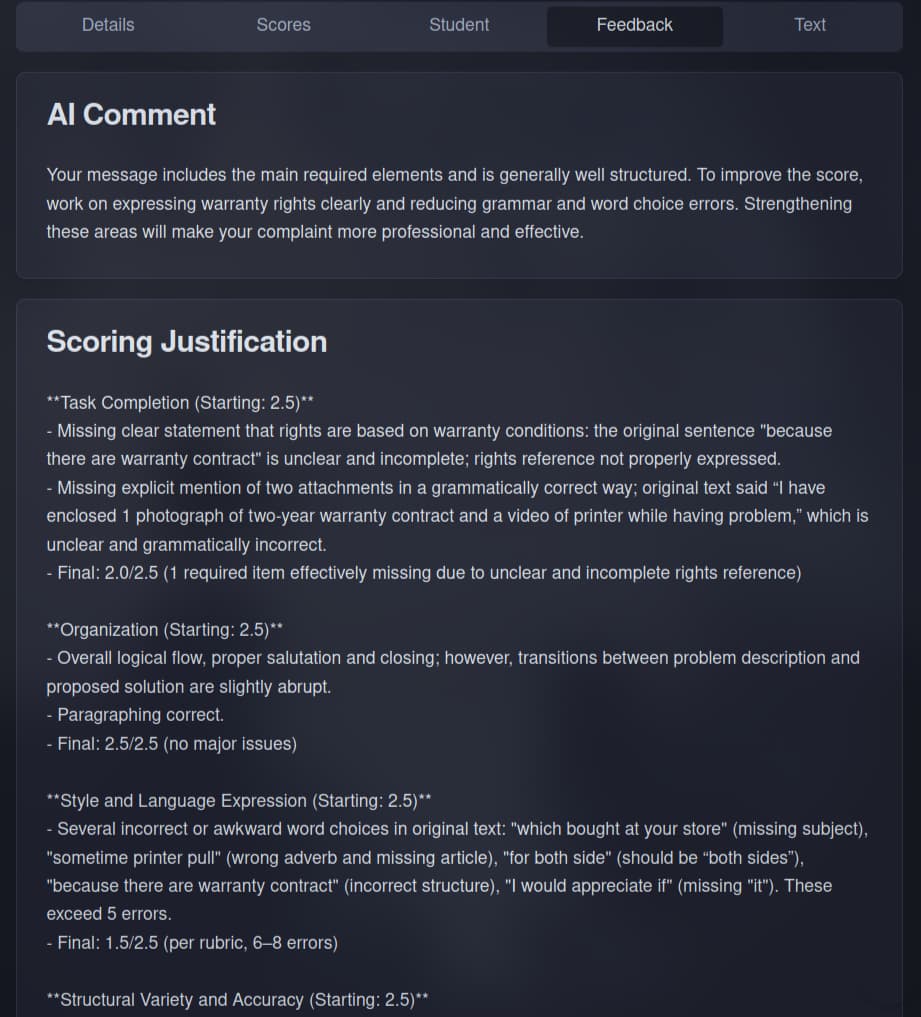
Feedback — AI-generated comment and per-criterion scoring justification
To improve grading consistency over time, every graded exam is embedded into a 1536-dimensional vector using OpenAI's text-embedding model and stored in PostgreSQL via pgvector with an HNSW index. When grading a new exam, the system retrieves the three most semantically similar previously-graded exams and includes them as few-shot examples in the prompt. This grounds the model's scoring in established precedent rather than relying solely on rubric instructions — effectively building institutional memory into the grading pipeline.
Rubric Configuration
Tasks are the core configuration that shape grading behavior. Each task encapsulates course metadata, detailed rubric criteria with scoring bands, example evaluations for model calibration, and the original exam instructions. Different tasks produce different scoring behaviors — a writing proficiency exam grades differently from a reading comprehension test, and the Task abstraction makes this configurable without code changes.
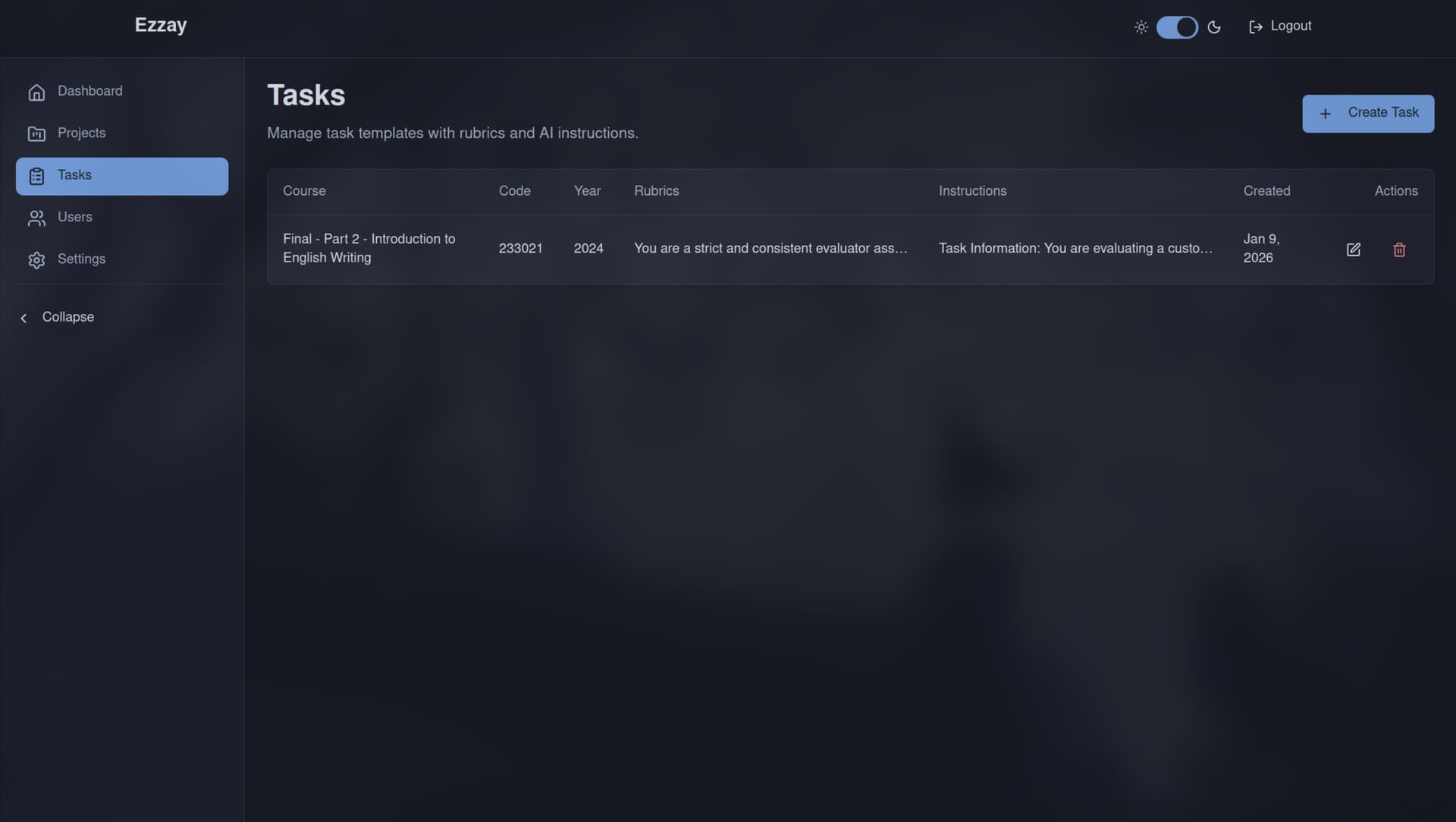
Tasks — rubric configuration that drives AI evaluation behavior
Access Control & Administration
Authentication uses JWT with role-based access control. Administrators manage user accounts and system-level settings, while teachers are scoped to their own projects and exams. Token refresh is handled via HTTP-only cookies with sliding expiration to balance security with session persistence.
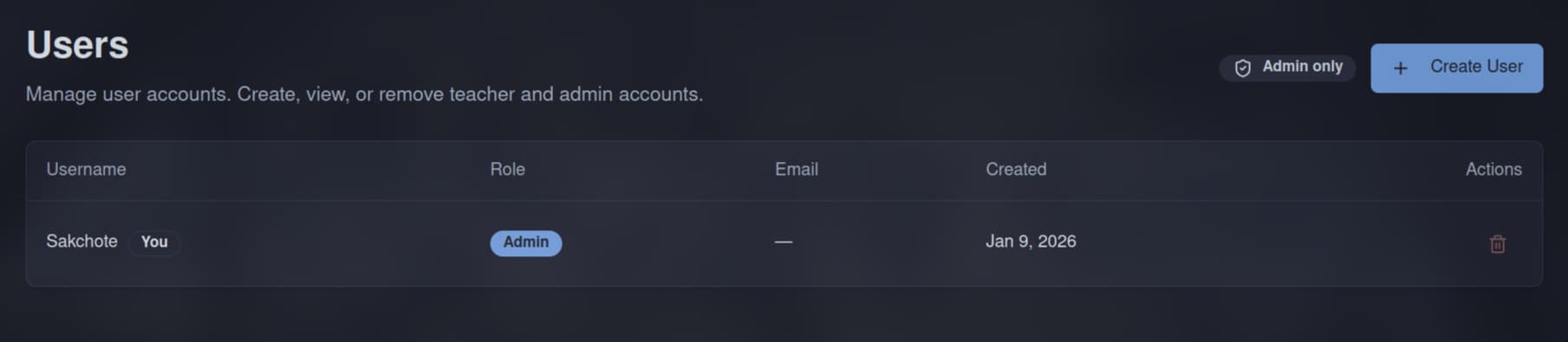
User management — admin-only account registration and role assignment
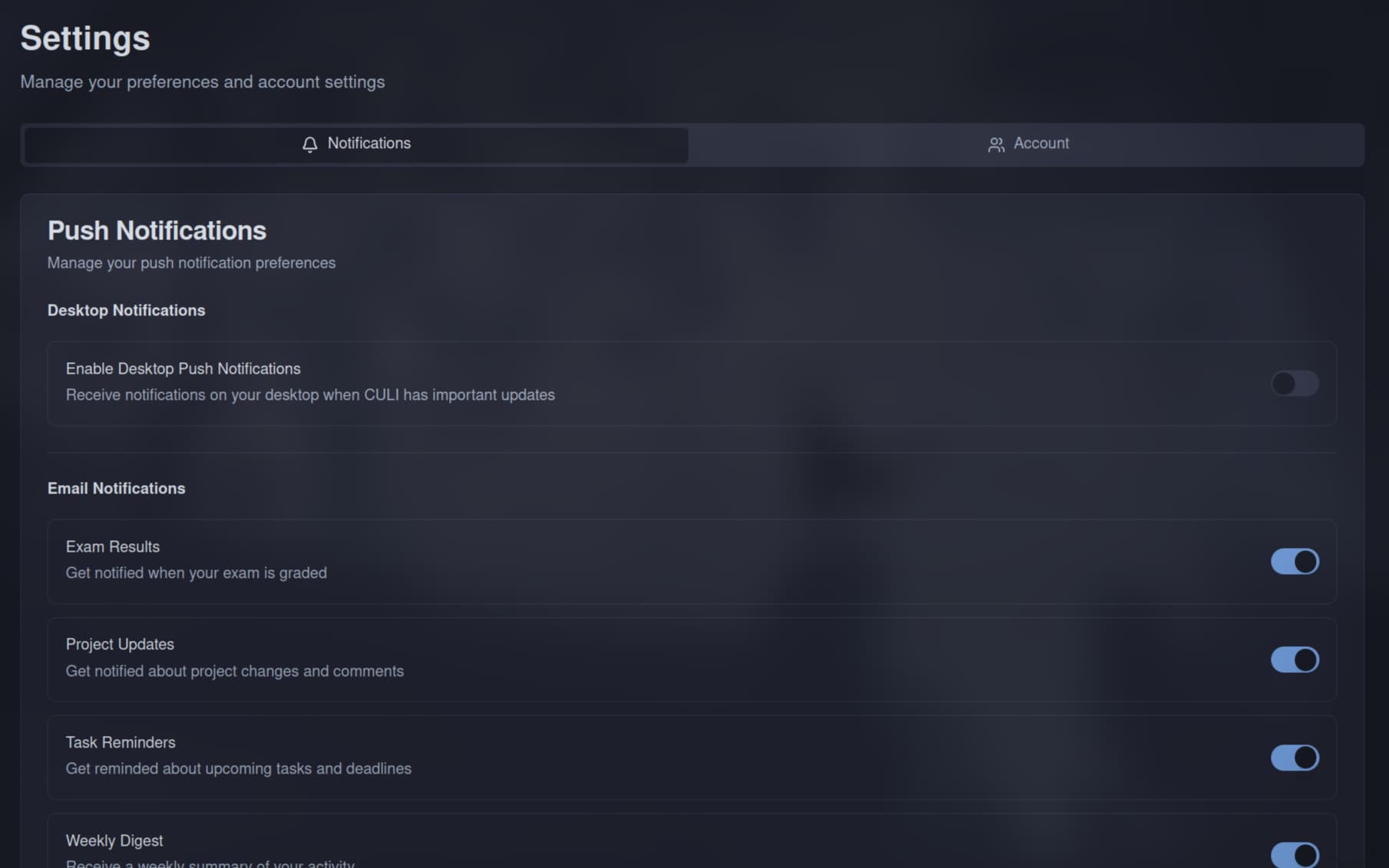
Settings — profile, notifications, and email preferences
Backend & Deployment
All heavy processing — PDF extraction, image preprocessing, OCR, and AI grading — runs as async background jobs with configurable batch sizes, retry logic with exponential backoff, and token-bucket rate limiting to stay within OpenAI API quotas. The job queue supports partial failure recovery: if a batch of 50 exams fails at exam #37, the system resumes from #37 on retry rather than reprocessing the entire batch.
The REST API is built with FastAPI using a layered architecture — routers, services, and repositories with dependency injection. The frontend uses React 19, Vite, TypeScript, and Tailwind CSS, with TanStack Query for server state management, Zustand for client state, and Zod for runtime schema validation at API boundaries.
Infrastructure as Code
The production environment is fully codified with Terraform and Ansible, orchestrated by a single idempotent setup script that runs seven sequential phases — from provisioning to validation. Terraform provisions the AWS Lightsail VPS, an RDS PostgreSQL instance with pgvector for embedding storage, an S3 bucket for exam image storage, IAM credentials scoped to S3-only access, and automatically generates SSH key pairs. State is managed remotely via HCP Terraform Cloud.
Ansible handles OS hardening across three playbooks: SSH lockdown with key-only authentication, UFW default-deny firewall, fail2ban for brute-force protection, unattended security upgrades, and NTP synchronization. A separate playbook installs Docker CE with log rotation, and a third bootstraps Dokploy — a self-hosted PaaS that provides a web dashboard for managing deployments, environment variables, and SSL certificates via Let's Encrypt.
The Dokploy dashboard is intentionally blocked from the public internet — port 3000 is excluded from the Lightsail firewall rules, so access requires an SSH tunnel. This keeps the management plane completely unexposed while the application serves production traffic on ports 80 and 443 through Traefik with automatic HTTPS. GitHub webhook integration enables git-push auto-deployment: pushing to main triggers an automatic rebuild and rolling update through Dokploy.
Research & Publication
This project grew out of a research question: can AI grade essays as reliably as human assessors — and can it get better over time? The team co-authored a paper titled "Adaptive Prompt-Based AES: A Teacher-AI Collaborative System for Improving Essay Scoring Accuracy over Time," which was presented at IEEE TALE (Teaching, Assessment, and Learning for Engineering) 2025. The paper proposes an adaptive prompting framework where the system continuously learns from teacher-graded essays, dynamically retrieving semantically similar examples to improve scoring alignment as more data accumulates.
A pilot deployment with real instructors showed a 39% reduction in manual grading workload while keeping the human-AI score discrepancy to just 10%. The CULI platform is the production implementation of the methodology validated in this research — bridging the gap between academic findings and real-world deployment at institutional scale.
The platform was also presented at the "AI for Smart Admincourt" event at the Administrative Court of Thailand in May 2025. The Ezzay research team — alongside Asst. Prof. Dr. Chulaporn Kongkeo and Asst. Prof. Dr. Dittaya Wanvarie — demonstrated the system's approach to AI-assisted essay evaluation in a roadshow, marking CULI's first step in applying AI innovation to language assessment at an institutional level.
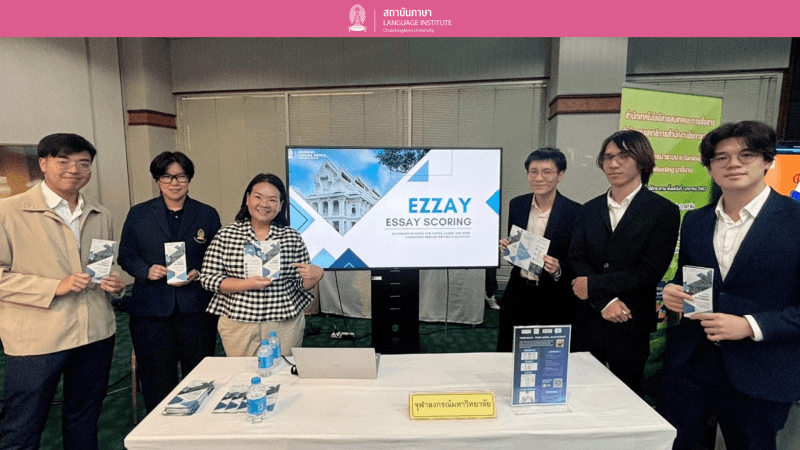
Ezzay team presenting at the AI for Smart Admincourt roadshow, Administrative Court of Thailand
Technical Highlights
- -End-to-end automated grading pipeline: PDF upload → OCR → AI scoring → report generation
- -GPT-powered OCR with image preprocessing (grayscale, thresholding, noise reduction)
- -Rubric-based scoring across four dimensions with detailed justification feedback
- -Few-shot learning via pgvector semantic similarity search (1536-dim embeddings, HNSW index)
- -Async background job processing with retry logic, exponential backoff, and rate limiting
- -JWT authentication with role-based access control (admin/teacher)
- -PDF and CSV report generation for individual exams and full project batches
- -React 19 frontend with TanStack Query, Zustand, and Zod validation
- -Full IaC with Terraform (Lightsail + RDS + S3 + IAM) and Ansible (hardening + Docker + Dokploy)
- -7-phase idempotent setup script with resume support and 20-check validation suite
- -Dokploy PaaS with SSH-tunnel-only dashboard access and git-push auto-deployment
- -CI/CD pipeline with GitHub Actions and automated test suites (pytest + Vitest)
- -Research presented at IEEE TALE 2025 in Macau — validated few-shot grading methodology